$12 one-time, plus applicable tax
Buy now: $12Spreadsheet kit · digital download (239 KB ZIP)
Please note. This is a digital download: after you pay on Stripe you are taken to a private download page, with no account needed. Links last 72 hours and the page can be re-opened for 30 days.
About this spreadsheet kit
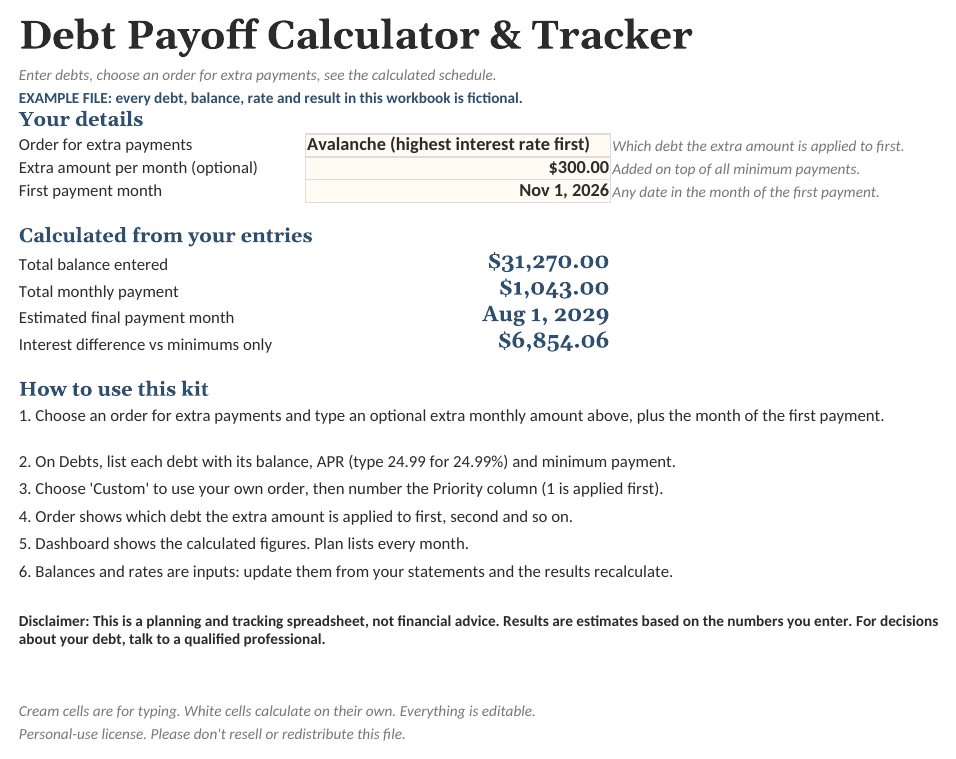
A spreadsheet that calculates a month-by-month payment schedule for up to 12 debts. Enter each debt's balance, APR and minimum payment, add an optional extra monthly amount, and choose the order the extra amount is applied: highest APR first (avalanche), smallest balance first (snowball), or an order you number yourself. The order only decides which debt receives the extra amount; the workbook calculates the resulting schedule, the estimated month each balance reaches zero and the total interest, and shows the same figures for minimum payments only so the two can be compared. Interest is estimated as balance x APR / 12 each month. The Example file uses fictional debts and numbers for illustration only.
- Calculates a schedule for three extra-payment orders: highest APR first, smallest balance first, or your own numbered order
- Month-by-month schedule up to 30 years: payment, interest, principal and balance
- Shows the same figures for minimum payments only, so you can see the difference
- Includes an Example file with fictional numbers, plus a blank workbook
- A calculator and tracker only: estimates from the numbers you enter, not financial advice
What is inside
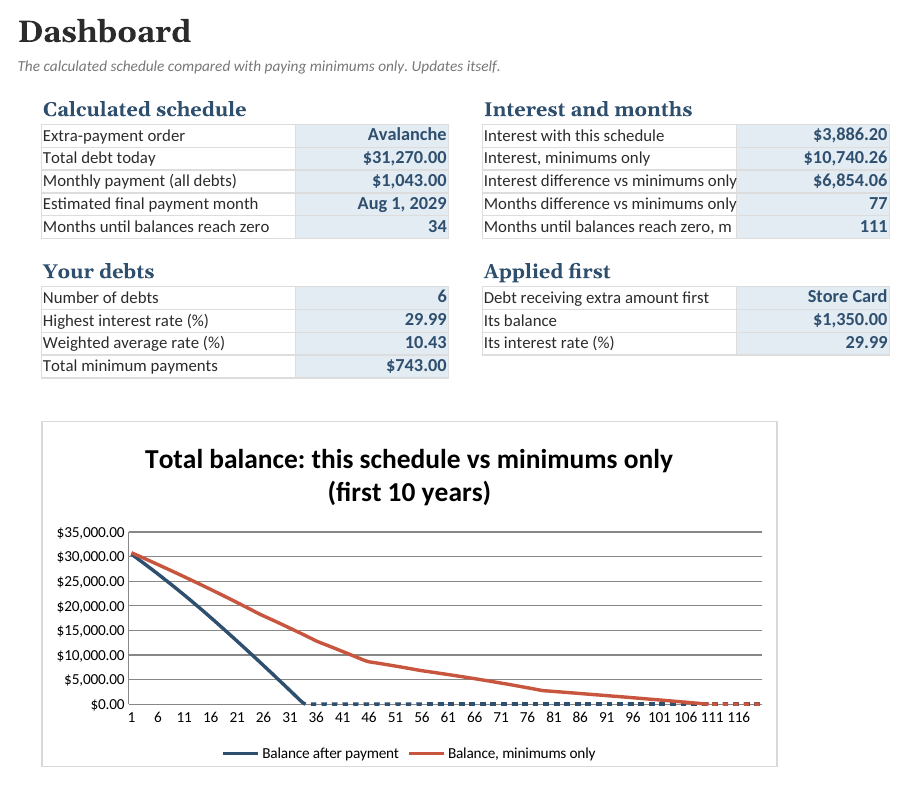
- Dashboard. Estimated final payment month, months and interest, the difference from minimums only, and a balance chart.
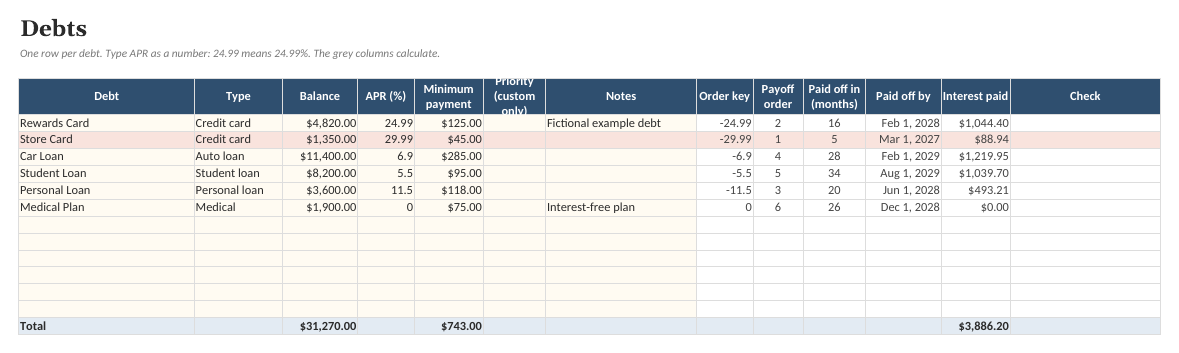
- Debts. Your debts with balance, interest rate and minimum payment, plus payoff order, payoff month and interest cost in the calculated schedule.
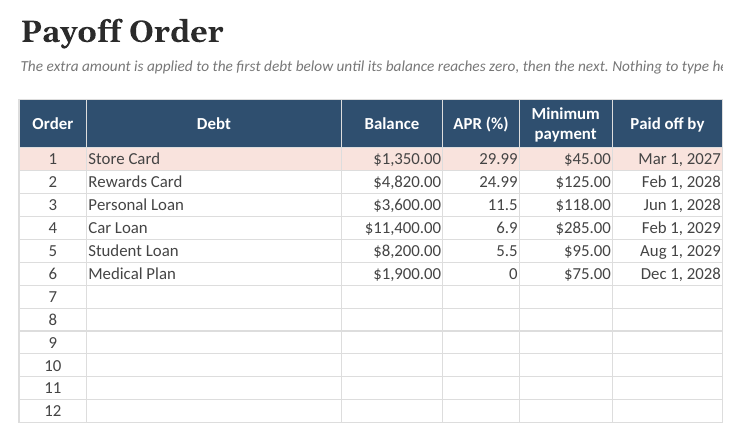
- Order. Your debts in the order the extra money is applied, according to the order selected on Start Here.
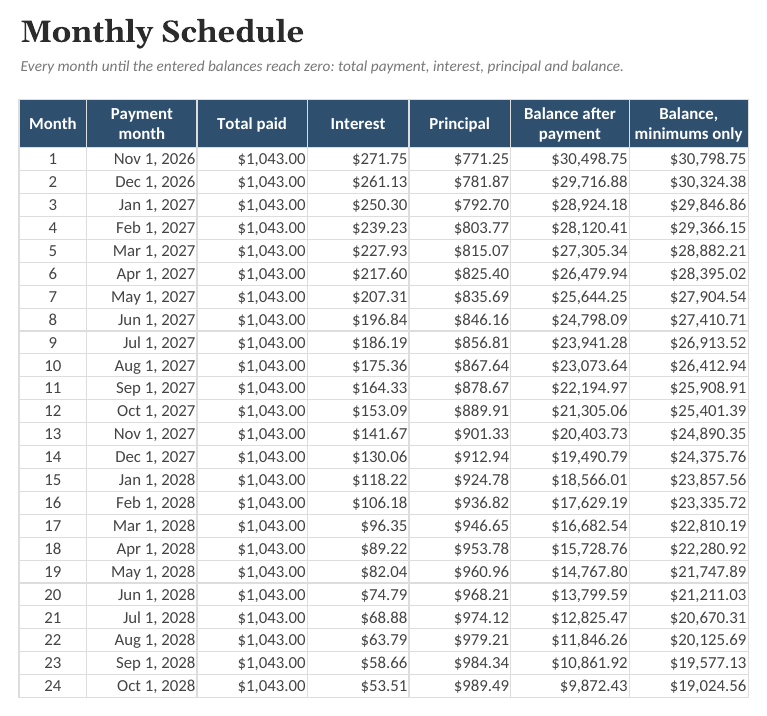
- Plan. Month-by-month totals for the calculated schedule, next to the balance if you paid minimums only.
- Engine. Helper tab. Month 0 is today's balances. Debts appear in payoff order.
- Baseline. Helper tab. What happens if you only ever pay each debt's minimum.
See the actual file
Screenshots of the real workbook, filled with made-up example data.


In the download
- Debt-Payoff-Planner.xlsx
- Debt-Payoff-Planner (Example).xlsx
- Quick-Start-Guide.pdf
- License.txt
$12 one-time, plus applicable tax
Buy now: $12Free guide: Snowball and Avalanche Payoff Orders: How the Calculations Work
Questions
What do snowball and avalanche mean?
Both pay at least the minimum on every debt and apply any extra amount to one debt at a time. Avalanche orders debts by highest interest rate first. Snowball orders them by smallest balance first. You can also number your own order. The workbook calculates the schedule for whichever order you select; it does not recommend one.
How is interest calculated?
Each month the balance is multiplied by the APR divided by 12 and rounded to the cent, then the payment is applied. Real lenders may calculate daily and handle due dates differently, so results are estimates and may differ from your statements.
Does it handle new charges, promotional rates or fees?
No. It assumes no new charges and that every rate stays the same. You can update the balances and rates whenever your statements change, and the results recalculate.
What does 'extra payment' mean?
An optional amount per month on top of the combined minimums. In the calculation the total monthly payment stays constant, so when one balance reaches zero its payment amount is applied to the next debt in the order.
Are the example numbers real?
No. The debts, balances, rates and results in the Example file are fictional, made up to show how the sheets work. They are not typical, average or expected figures.
Is this financial advice?
No. This is a planning and tracking spreadsheet, not financial advice. Results are estimates based on the numbers you enter. For decisions about your debt, talk to a qualified professional.
What app do I need?
Any spreadsheet app that opens .xlsx files, on a computer or in the browser. Free web-based spreadsheet apps work too: upload the file and open it. Formulas, dropdowns and charts carry over.
Is there an example version?
Yes. The download includes a blank workbook and a filled-in example, so you can see how everything works before entering your own details.
Can I change it?
Everything is unlocked and editable: categories, tasks, columns and formulas.
Is this a subscription?
No. One payment of $12 and the files are yours to keep.
What if it does not work for me?
Ask within 14 days of purchase for a full refund. See the refund policy.
Sold by Quietcog. Support: gb1@mail.grokbot.com. See also the terms, refund policy and privacy policy.