$12 one-time, plus applicable tax
Buy now: $12Spreadsheet kit · digital download (109 KB ZIP)
Please note. This is a digital download: after you pay on Stripe you are taken to a private download page, with no account needed. Links last 72 hours and the page can be re-opened for 30 days.
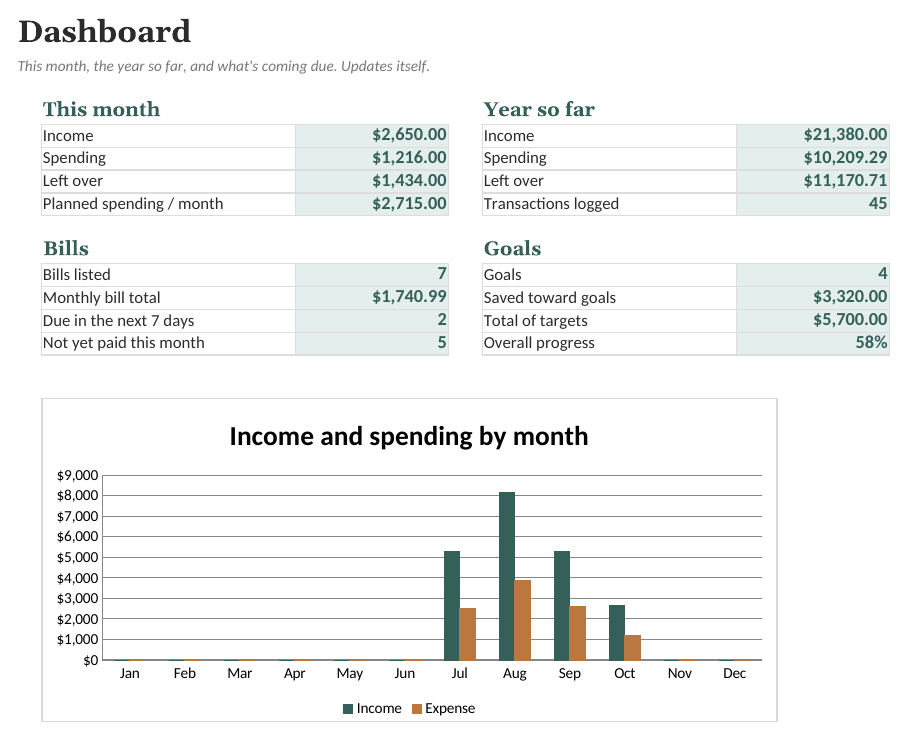
About this spreadsheet kit
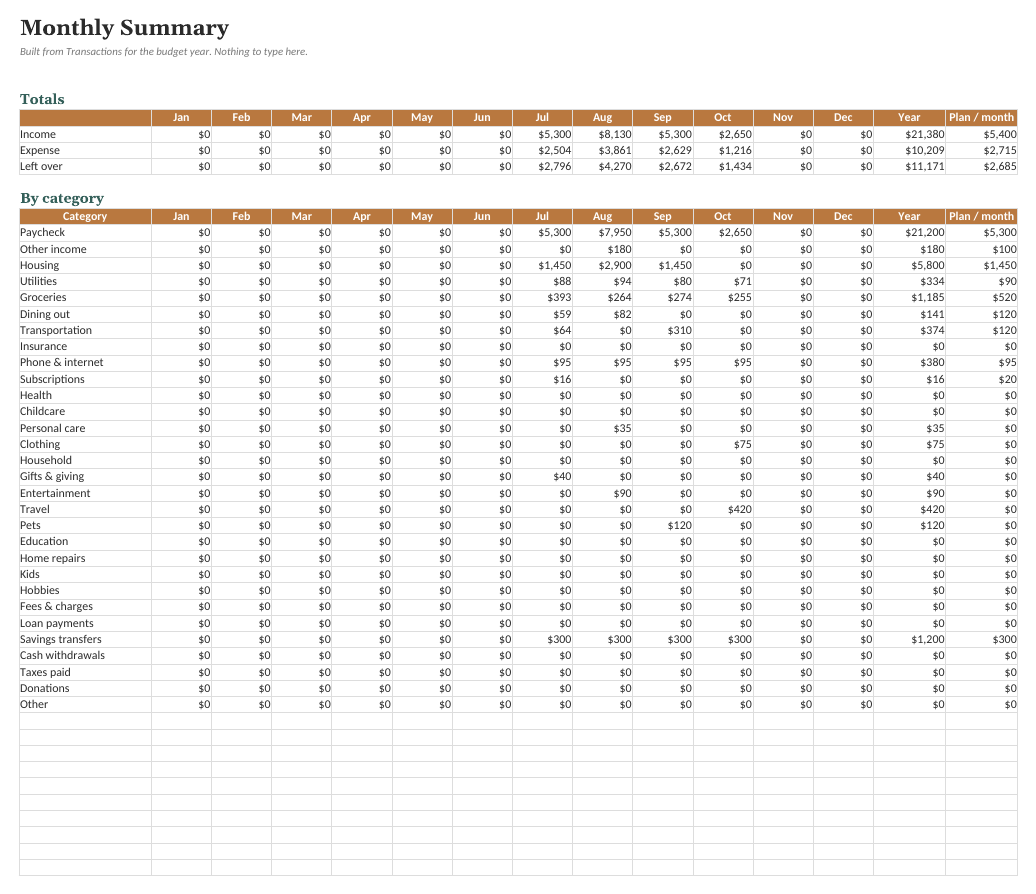
A plain, honest tracker for household money. You set the categories and the monthly plan; it adds up the year by month and category, flags bills coming due, and shows progress toward goals you set. It doesn't tell you how to budget. It shows you where the money went.
- Categories and monthly plan you define (30 starter names, all renamable)
- Month-by-month summary for the whole year, built automatically
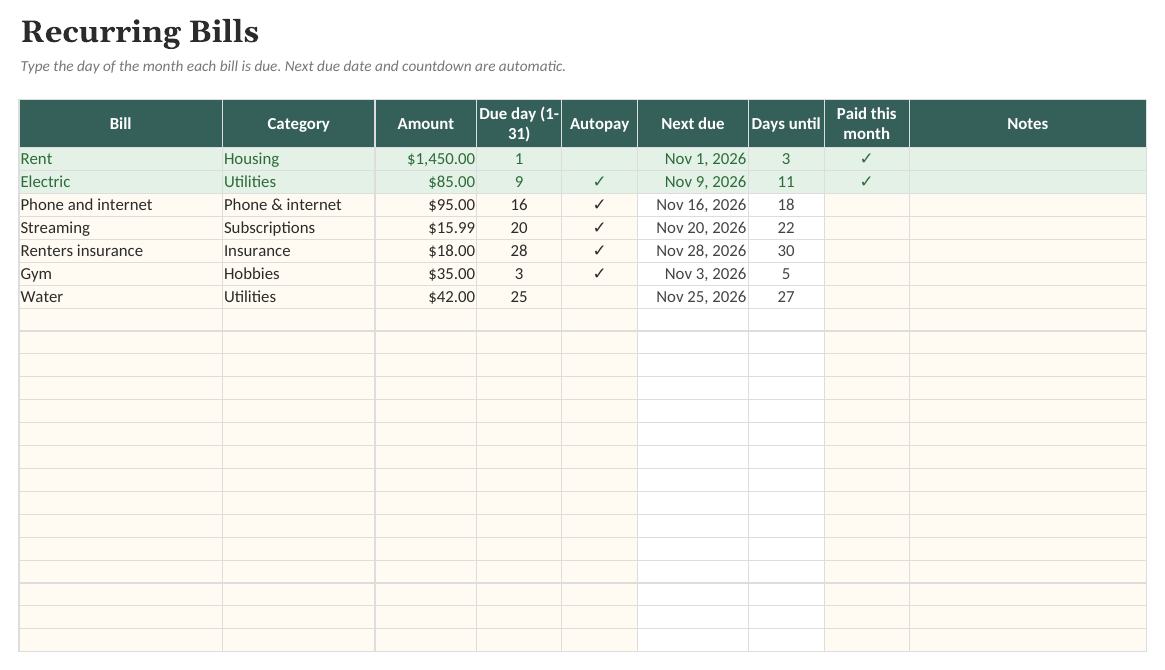
- Bills list that works out the next due date and warns 3 days ahead
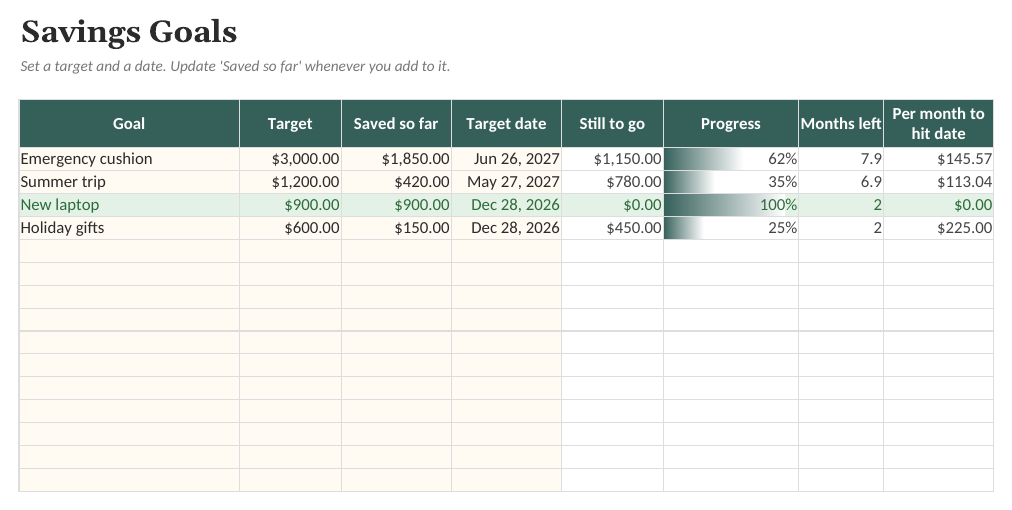
- Savings goals with progress bars
What is inside
- Dashboard. A one-page summary of the month, the year, bills, and goals. Nothing to type here.
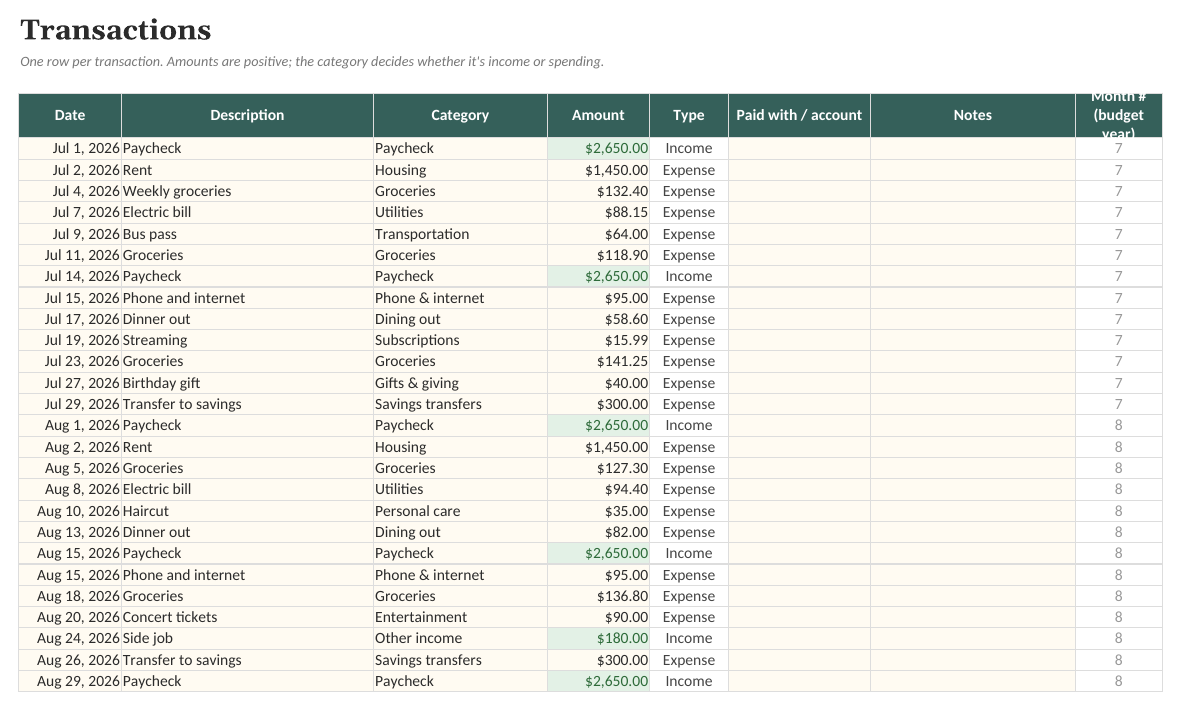
- Transactions. Up to 600 transactions with category picker; type and month are filled in for you.
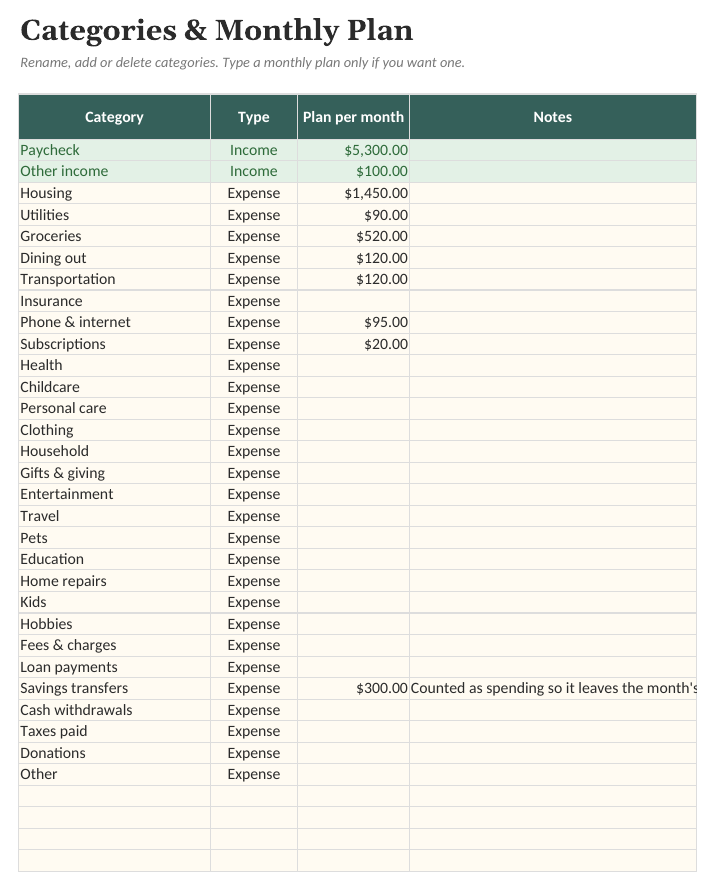
- Categories. Your own income and expense categories, with an optional monthly plan for each.
- Monthly Summary. Income, spending and what's left for every month, then every category by month.
- Bills. Recurring bills with automatic next due date, a 3-day warning, and a paid-this-month tick.
- Goals. Goals you choose, with progress bars and the monthly amount that would hit your date.
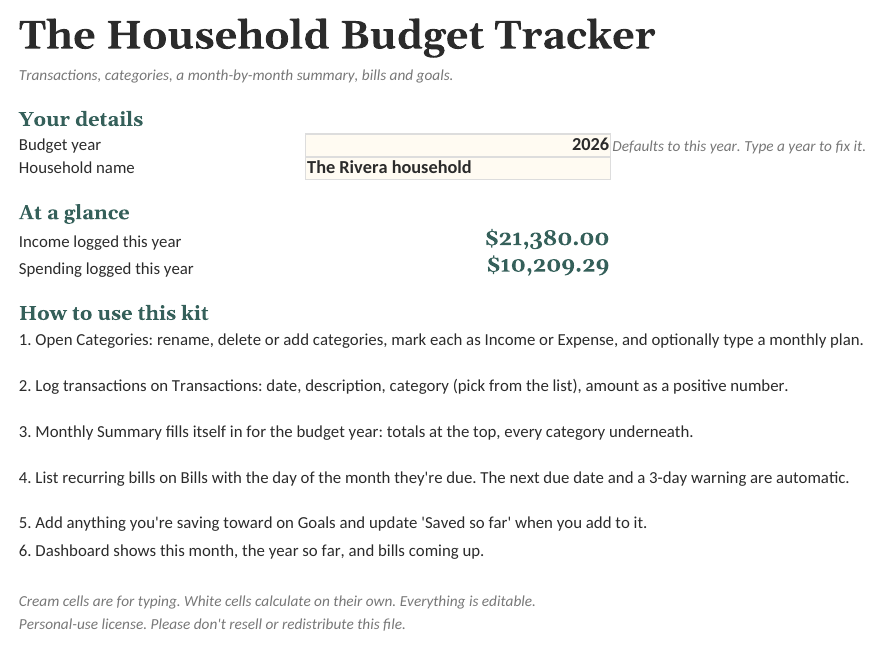
See the actual file
Screenshots of the real workbook, filled with made-up example data.
In the download
- Household-Budget-Tracker.xlsx
- Household-Budget-Tracker (Example).xlsx
- Quick-Start-Guide.pdf
- License.txt
$12 one-time, plus applicable tax
Buy now: $12Free guide: A Simple Routine for Tracking Household Spending
Questions
Does it follow a particular budgeting method?
No. There's no built-in rule or percentage. You type your own plan per category, or leave it blank and just track.
Does it connect to my bank?
No, and that's deliberate: nothing leaves your file. You type or paste transactions in. Most banks let you export a CSV you can paste into the Transactions tab.
Is this financial advice?
No. It's a calculator and organizer for numbers you enter. It doesn't recommend anything.
What app do I need?
Any spreadsheet app that opens .xlsx files, on a computer or in the browser. Free web-based spreadsheet apps work too: upload the file and open it. Formulas, dropdowns and charts carry over.
Is there an example version?
Yes. The download includes a blank workbook and a filled-in example, so you can see how everything works before entering your own details.
Can I change it?
Everything is unlocked and editable: categories, tasks, columns and formulas.
Is this a subscription?
No. One payment of $12 and the files are yours to keep.
What if it does not work for me?
Ask within 14 days of purchase for a full refund. See the refund policy.
Sold by Quietcog. Support: gb1@mail.grokbot.com. See also the terms, refund policy and privacy policy.