$9 one-time, plus applicable tax
Buy now: $9Spreadsheet kit · digital download (128 KB ZIP)
Please note. This is a digital download: after you pay on Stripe you are taken to a private download page, with no account needed. Links last 72 hours and the page can be re-opened for 30 days.
About this spreadsheet kit
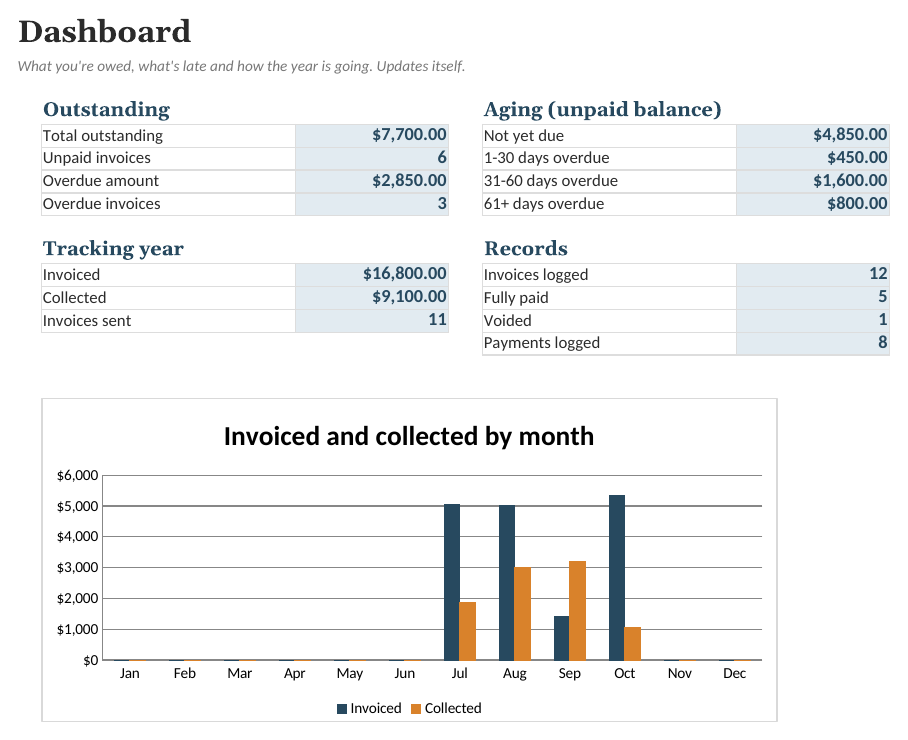
For freelancers and small studios who send a handful of invoices a month and want one place to record who has paid. Log each invoice once, log every payment as it arrives, and the sheet works out what's paid, what's still open and what's overdue. Partial payments and installments are handled, cancelled invoices can be voided, and the dashboard shows an aging breakdown (not yet due, 1-30, 31-60 and 61+ days overdue), a by-client summary and invoiced versus collected by month. It's a tracker, not an invoice maker: it doesn't create or send invoices, and it isn't tax or accounting advice.
- Separate Invoices and Payments tabs, so partial payments and installments just work
- Automatic Open / Partial / Paid / Overdue / Void status and days overdue
- Aging breakdown: not yet due, 1-30, 31-60 and 61+ days overdue
- By-client totals and invoiced versus collected by month for the year
What is inside
- Dashboard. Outstanding and overdue totals, aging buckets, year-to-date invoiced and collected, and a monthly chart.
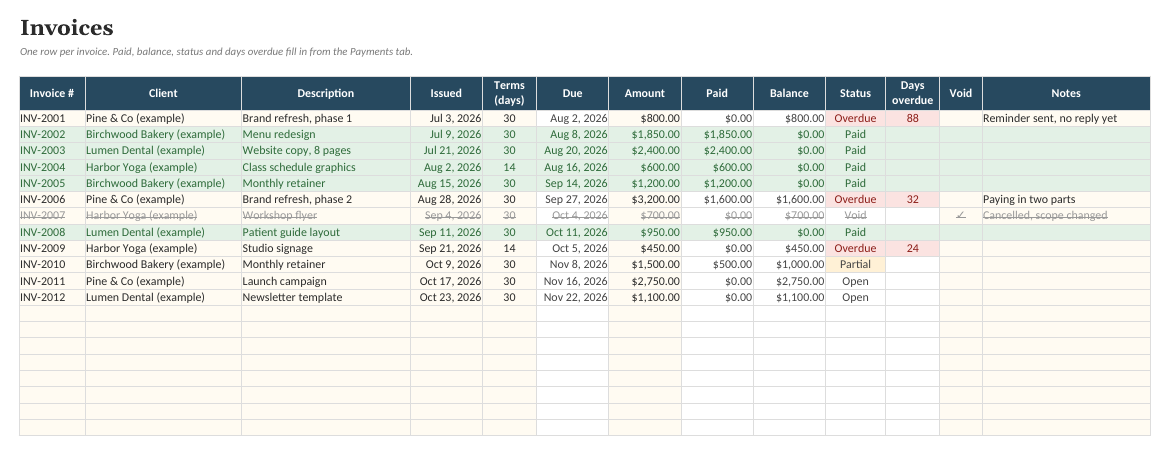
- Invoices. Every invoice with due date, amount paid, balance, automatic status and days overdue.
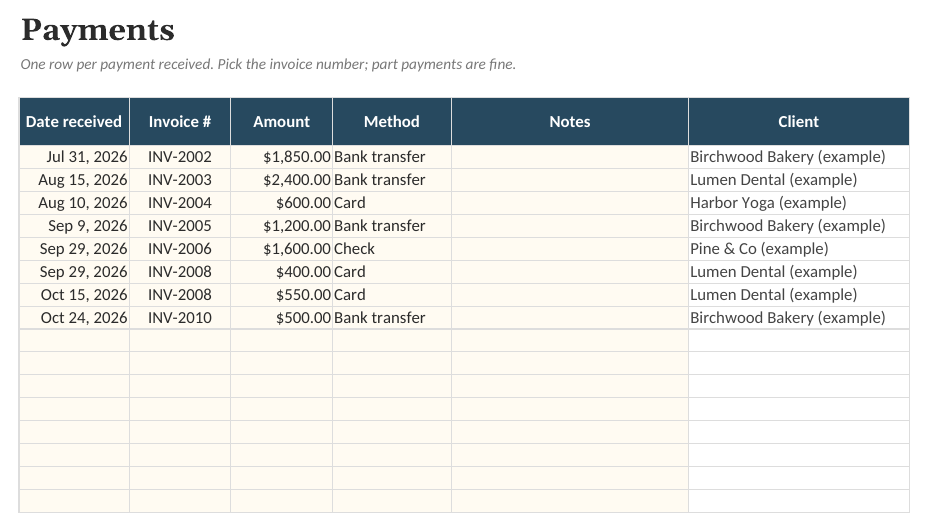
- Payments. Every payment received, linked to an invoice number. The client fills in automatically.
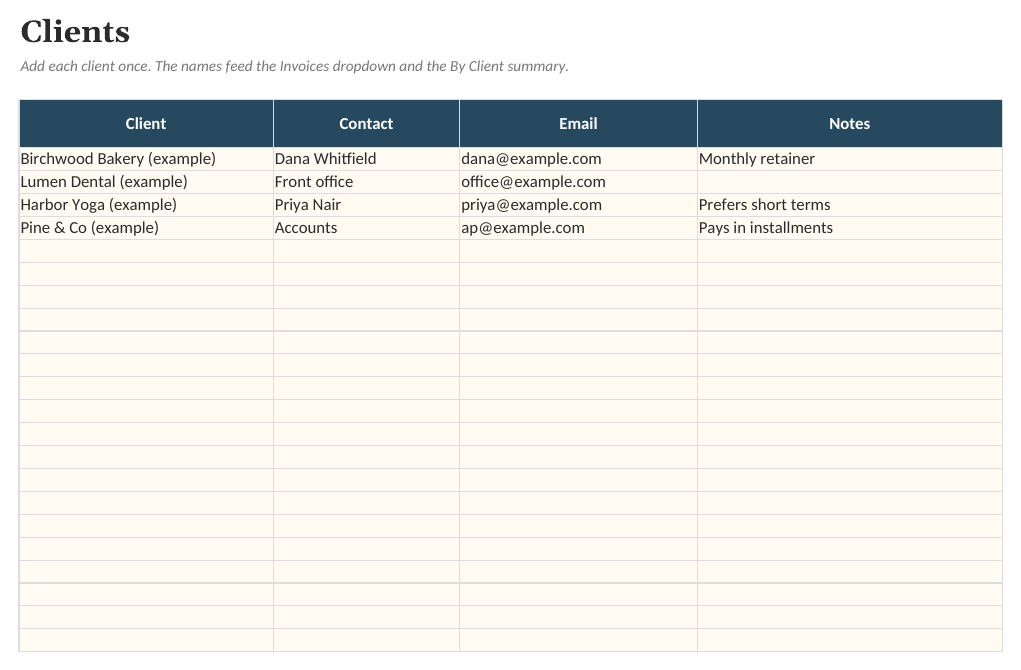
- Clients. Your client list with contact details.
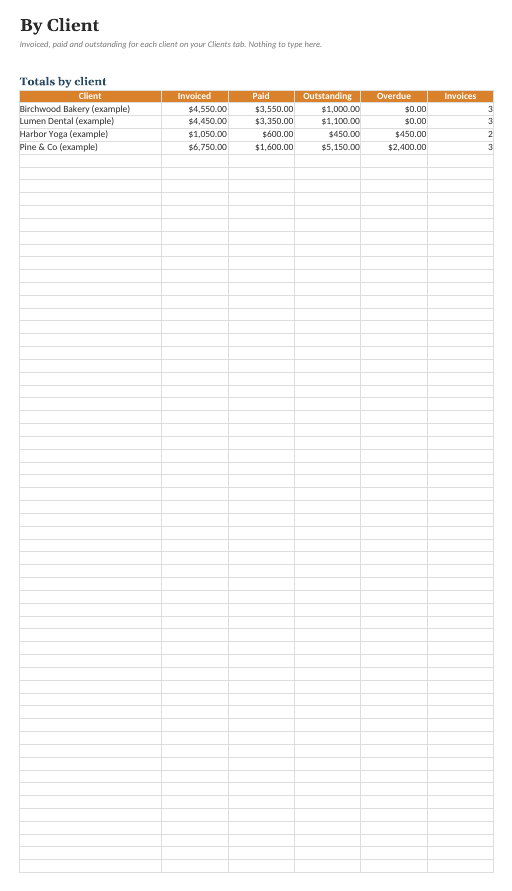
- By Client. Totals per client across all invoices (voided invoices left out).
- Monthly Summary. Invoiced and collected for each month of the tracking year.
See the actual file
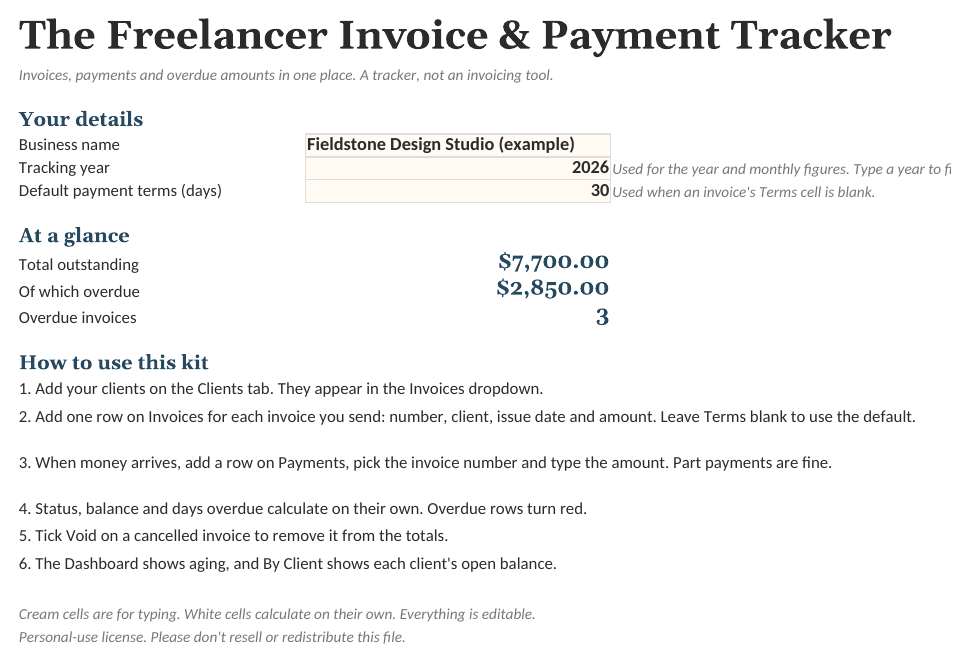
Screenshots of the real workbook, filled with made-up example data.

In the download
- Invoice-Tracker.xlsx
- Invoice-Tracker (Example).xlsx
- Quick-Start-Guide.pdf
- License.txt
$9 one-time, plus applicable tax
Buy now: $9Free guide: Tracking Freelance Invoices and Payments: A Simple Record-Keeping Routine
Questions
Does it create or send invoices?
No. It tracks invoices you make elsewhere (in a word processor, a design tool or an invoicing app). You type the invoice number, client, date and amount once.
How do partial payments work?
Add a row on the Payments tab for each payment and pick the invoice number. The invoice's Paid and Balance columns add them up. It stays 'Partial' or 'Overdue' until the balance reaches zero.
What if an invoice is cancelled?
Tick Void on that invoice. It drops out of totals and aging but keeps its row, so your invoice numbers stay in sequence.
Does it handle taxes or other currencies?
No. Amounts are plain numbers shown with a $ sign. If you add tax, enter the invoice total. Change the number format of the amount cells if you use another currency.
Is this accounting or tax advice?
No. It organizes information you enter. Ask a qualified professional about bookkeeping and tax where you live.
What app do I need?
Any spreadsheet app that opens .xlsx files, on a computer or in the browser. Free web-based spreadsheet apps work too: upload the file and open it. Formulas, dropdowns and charts carry over.
Is there an example version?
Yes. The download includes a blank workbook and a filled-in example, so you can see how everything works before entering your own details.
Can I change it?
Everything is unlocked and editable: categories, tasks, columns and formulas.
Is this a subscription?
No. One payment of $9 and the files are yours to keep.
What if it does not work for me?
Ask within 14 days of purchase for a full refund. See the refund policy.
Sold by Quietcog. Support: gb1@mail.grokbot.com. See also the terms, refund policy and privacy policy.