$10 one-time, plus applicable tax
Buy now: $10Spreadsheet kit · digital download (166 KB ZIP)
Please note. This is a digital download: after you pay on Stripe you are taken to a private download page, with no account needed. Links last 72 hours and the page can be re-opened for 30 days.
About this spreadsheet kit
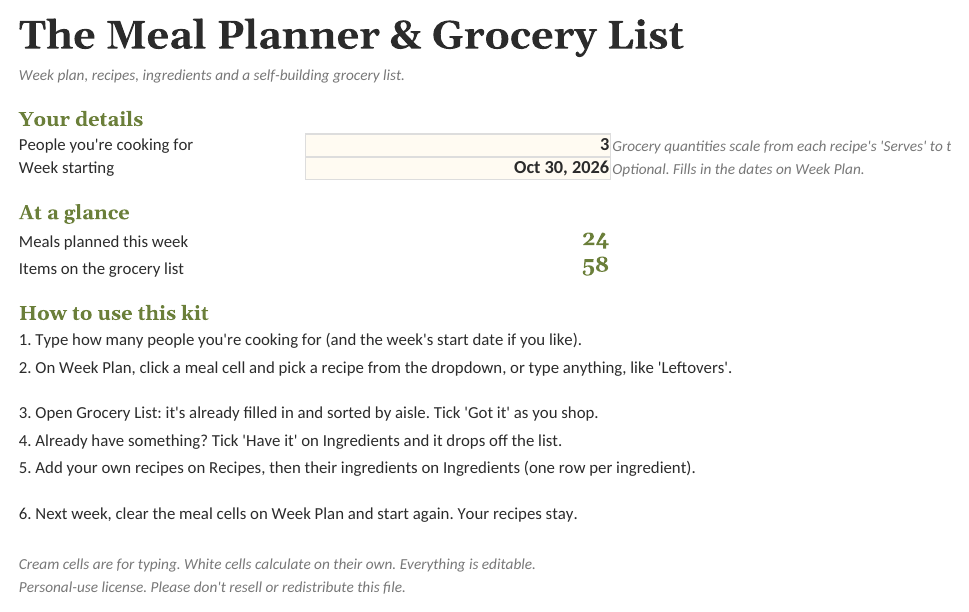
Pick meals for the week from a dropdown of your recipes. The grocery list writes itself: every ingredient you need, scaled to how many people you're feeding, sorted by store aisle, minus anything you've marked as already in the pantry. It comes with 16 simple starter recipes so it works on day one.
- Grocery list builds itself from the week plan, combined and sorted by aisle
- Quantities scaled to your household size
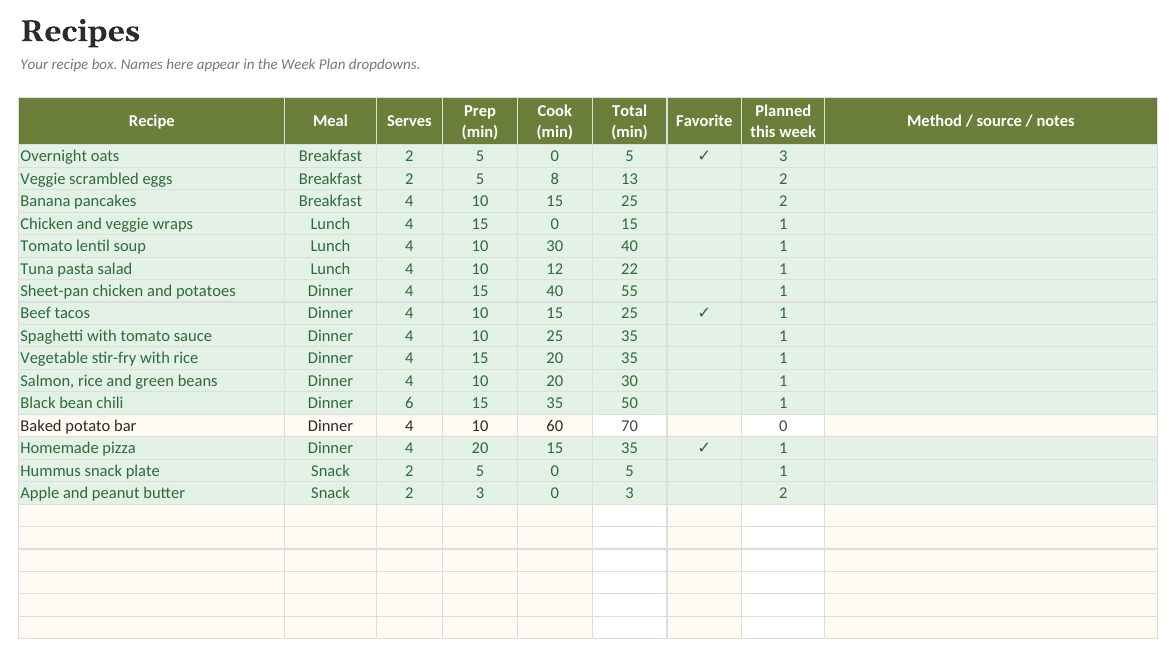
- 16 starter recipes with 86 ingredient lines, all editable
- 'Already have it' tick removes pantry items from the list
What is inside
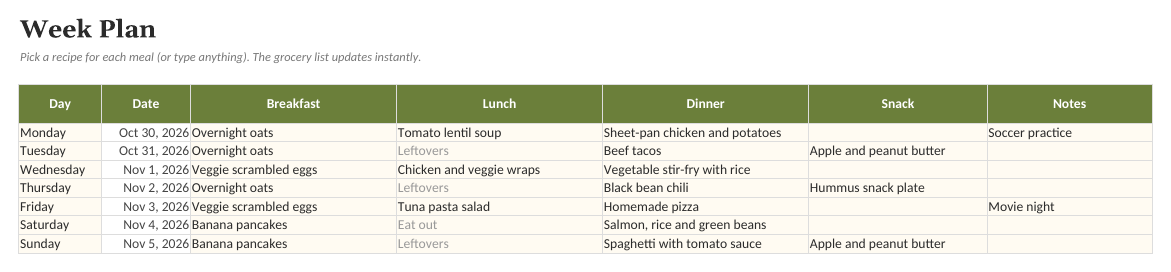
- Week Plan. Seven days by four meals, picked from your recipes.
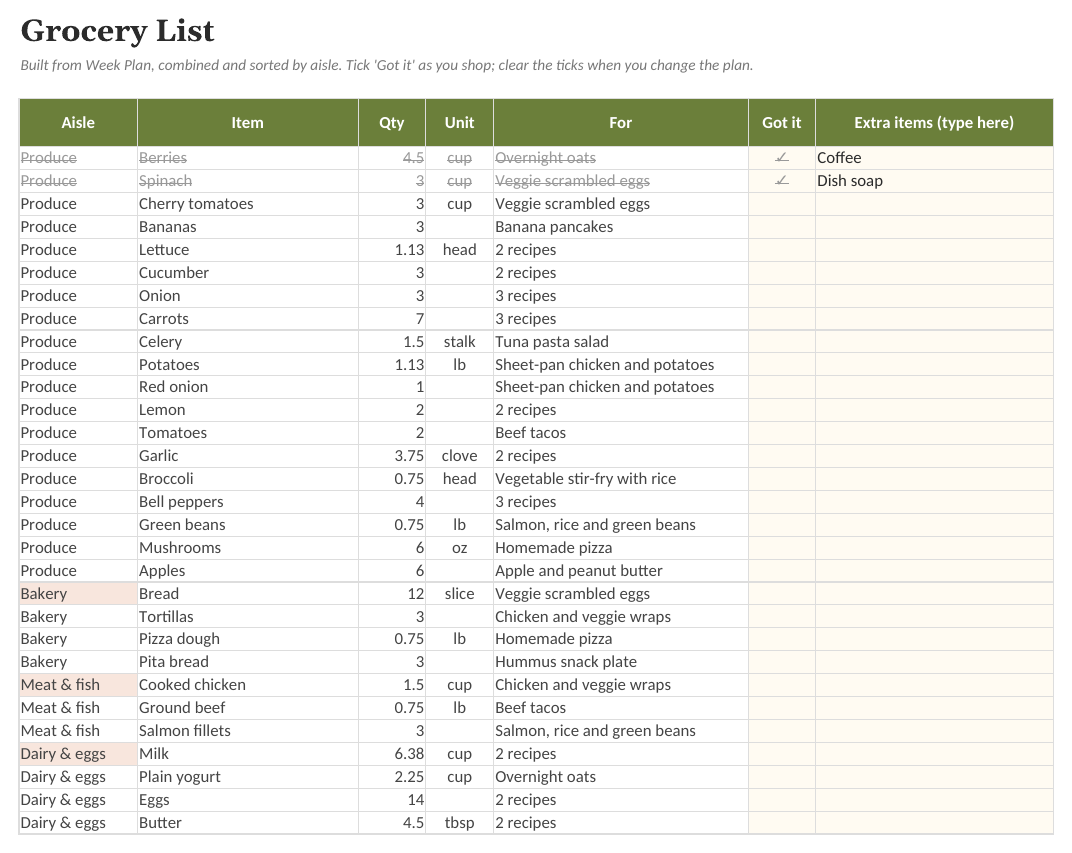
- Grocery List. An automatic shopping list: scaled quantities, sorted by aisle, with the recipe each item is for.
- Recipes. Recipe list with meal type, servings, times, favorites, and how often each is planned this week.
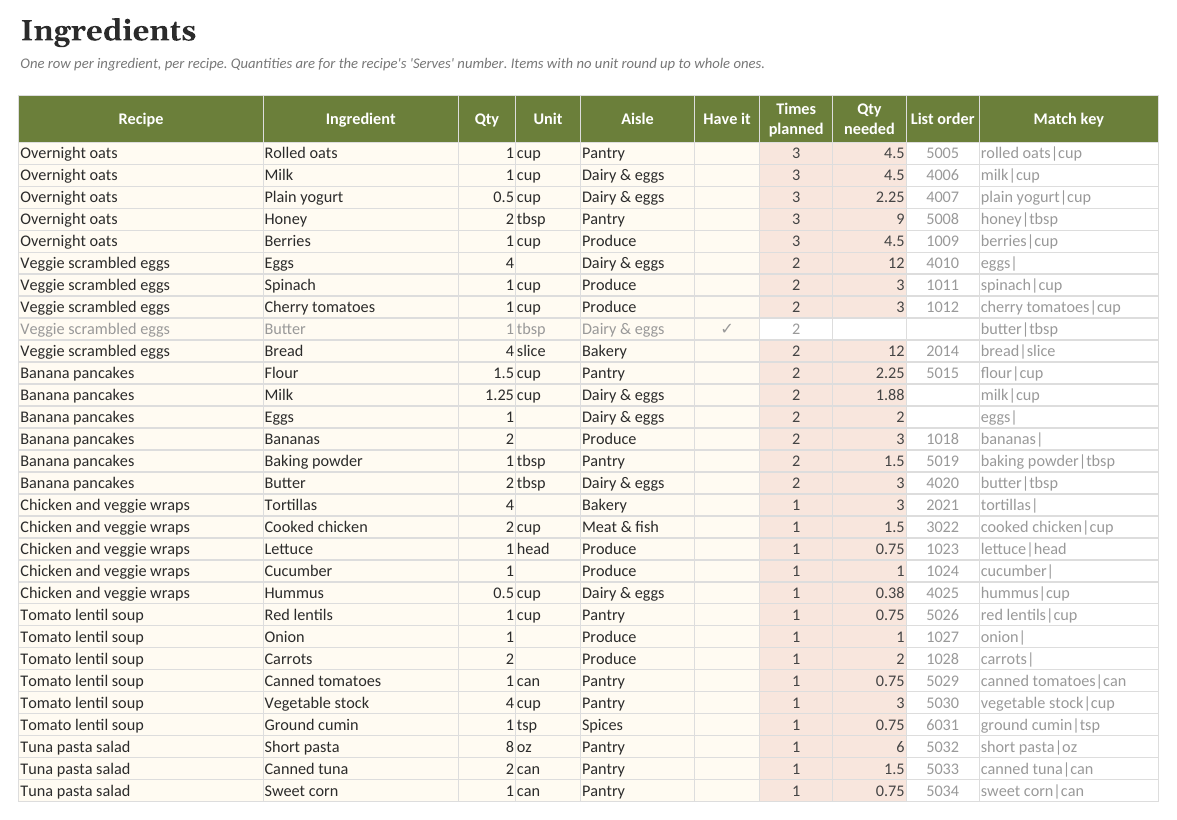
- Ingredients. Every ingredient line with aisle, 'have it' tick, and the scaled quantity needed this week.
See the actual file
Screenshots of the real workbook, filled with made-up example data.
In the download
- Meal-Planner-Grocery-List.xlsx
- Meal-Planner-Grocery-List (Example).xlsx
- Quick-Start-Guide.pdf
- Pantry-Staples-Checklist.pdf
- License.txt
$10 one-time, plus applicable tax
Buy now: $10Free guide: Weekly Meal Planning With a Spreadsheet
Questions
Does it include nutrition or diet plans?
No. It's a planning tool, not a diet. Add whatever recipes your household eats.
Can I type something that isn't a recipe, like 'Leftovers'?
Yes. The meal cells suggest your recipes but accept any text. Only real recipes add to the grocery list.
What if two recipes use the same ingredient?
The list combines them into one line with the total quantity, as long as the name and unit match (for example 'Onion' with no unit). The 'For' column then says how many recipes it's for.
What app do I need?
Any spreadsheet app that opens .xlsx files, on a computer or in the browser. Free web-based spreadsheet apps work too: upload the file and open it. Formulas, dropdowns and charts carry over.
Is there an example version?
Yes. The download includes a blank workbook and a filled-in example, so you can see how everything works before entering your own details.
Can I change it?
Everything is unlocked and editable: categories, tasks, columns and formulas.
Is this a subscription?
No. One payment of $10 and the files are yours to keep.
What if it does not work for me?
Ask within 14 days of purchase for a full refund. See the refund policy.
Sold by Quietcog. Support: gb1@mail.grokbot.com. See also the terms, refund policy and privacy policy.