$8 one-time, plus applicable tax
Buy now: $8Spreadsheet kit · digital download (171 KB ZIP)
Please note. This is a digital download: after you pay on Stripe you are taken to a private download page, with no account needed. Links last 72 hours and the page can be re-opened for 30 days.
About this spreadsheet kit
A planner for one school semester (high school, college or self-paced). List your courses once, then add assignments and exams with due dates and estimated hours; each is flagged Overdue, Due soon or Upcoming automatically. Record scores and their weight in the Grades tab and the planner works out your grade so far in every course, a letter, and an estimated GPA on a common 4.0 scale. A study log adds up hours by course and by week against your weekly goal. The download has a blank workbook, a filled-in example, a quick-start guide and a printable weekly planner page. Works in any spreadsheet app that opens .xlsx files.
- Assignments and exams flagged Overdue, Due soon or Upcoming, with days left
- Grade so far, letter and estimated GPA for every course from your scores and weights
- Study log with weekly hours against your goal, plus a week-by-week summary
- Printable weekly planner page included
What is inside
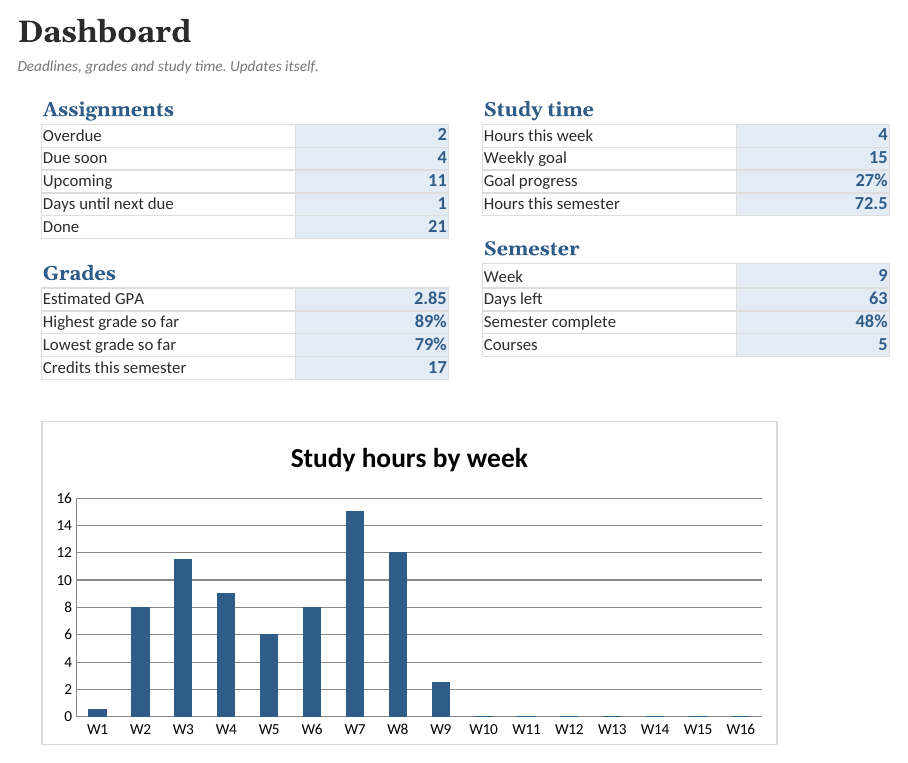
- Dashboard. Overdue and upcoming work, study hours against your goal, estimated GPA and progress through the semester. Nothing to type here.
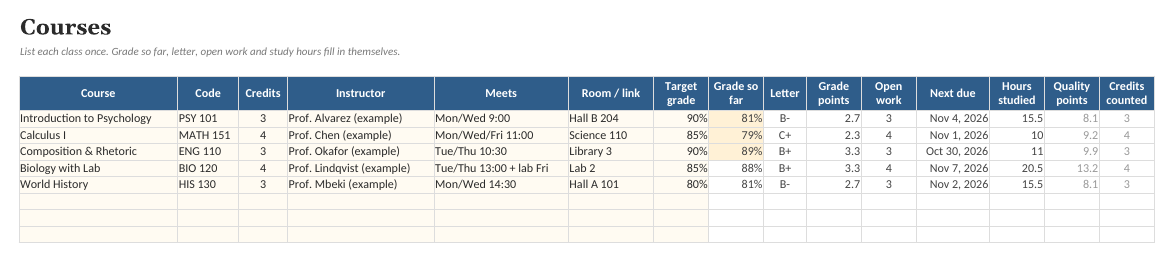
- Courses. One row per course with credits, instructor and schedule, plus grade so far, letter, estimated grade points, open assignments, next due date and hours studied.
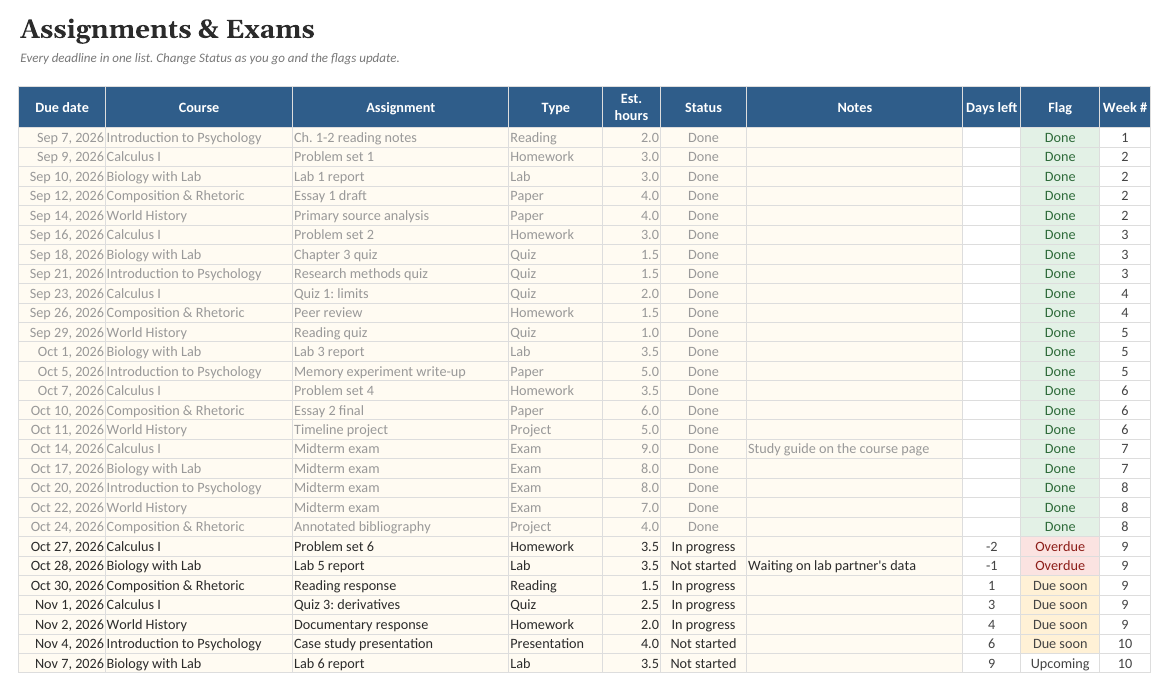
- Assignments. A running list of deadlines with due date, course, type, estimated hours and status, flagged Overdue, Due soon or Upcoming, with days left and week number.
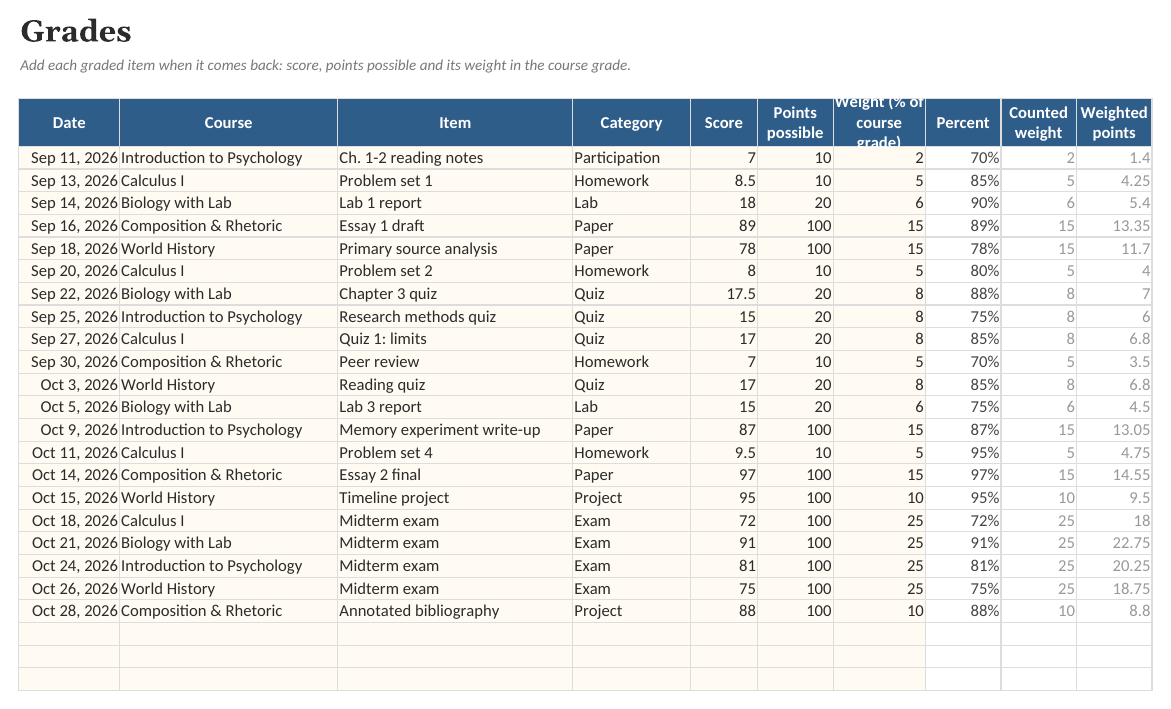
- Grades. Scores with their weight. Percent, counted weight and weighted points are calculated, and feed the grade so far on the Courses tab.
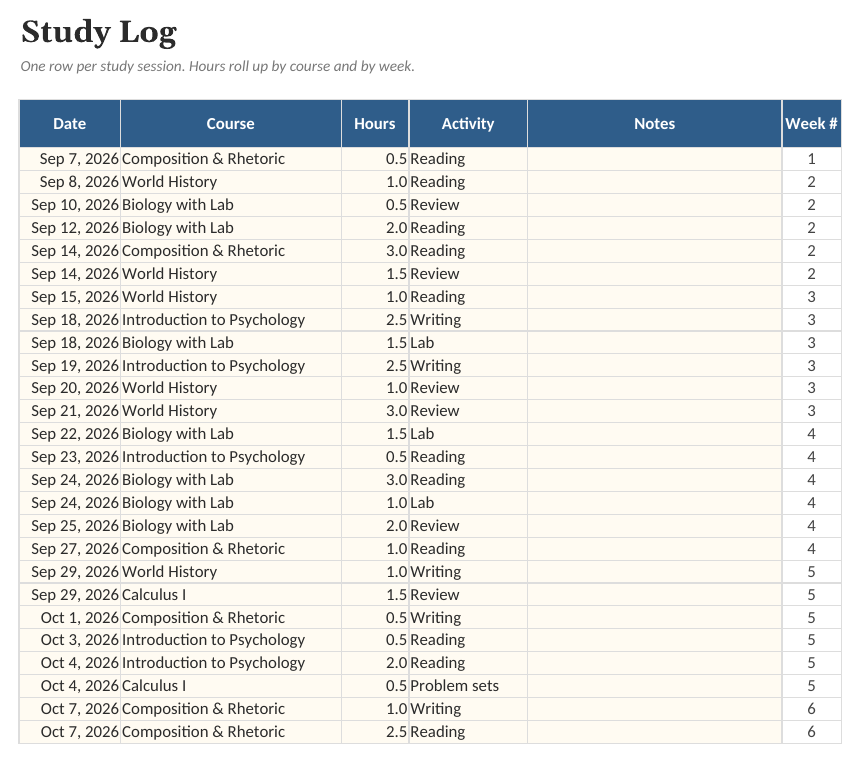
- Study Log. A log of study sessions with date, course, hours and activity, plus the week number.
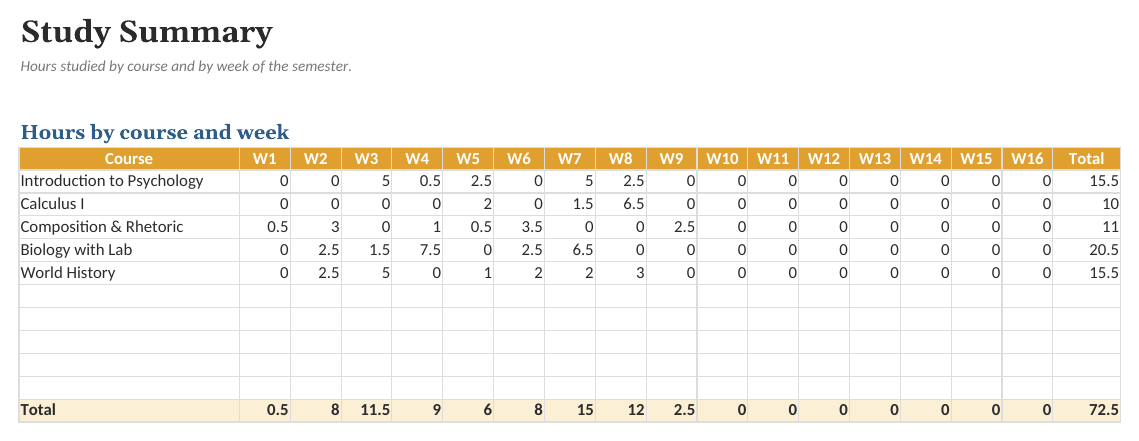
- Study Summary. Study hours for every course in each of the first 16 weeks of the semester.
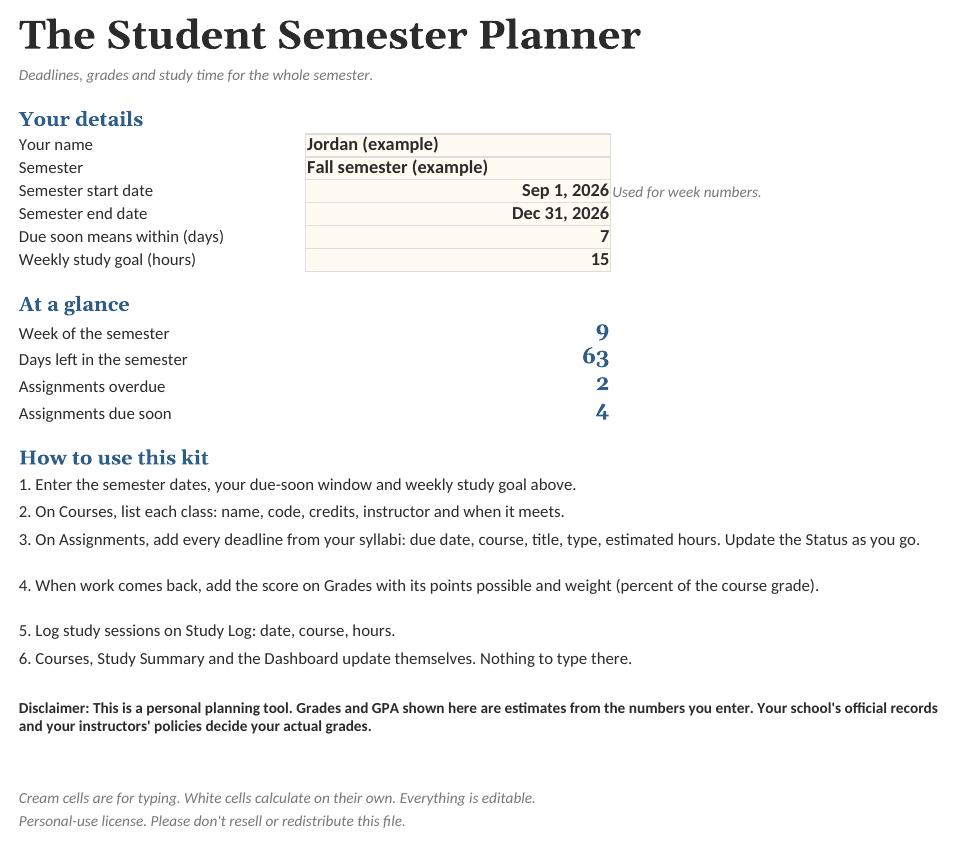
See the actual file
Screenshots of the real workbook, filled with made-up example data.
In the download
- Student-Semester-Planner.xlsx
- Student-Semester-Planner (Example).xlsx
- Quick-Start-Guide.pdf
- Weekly-Planner-Sheet.pdf
- License.txt
$8 one-time, plus applicable tax
Buy now: $8Free guide: How to Plan a School Semester: Deadlines, Grades and Study Hours
Questions
Does it work for high school as well as college?
Yes. It is a general planner: courses, assignments, grades and study hours. Credits are optional, so if your school does not use credit hours, enter 1 for every course (the GPA will then be a simple average).
How is my grade calculated?
On the Grades tab, enter each graded item's score, points possible and its weight (what percent of the course grade it is worth). The planner takes the weighted average of what has been graded so far. It is not a prediction of your final grade, and your instructor's gradebook is the official record.
Will the GPA match my school's?
It is an estimate. The planner uses a common 4.0 scale (A = 4.0, A- = 3.7, B+ = 3.3 and so on) and weights by credits. Schools use different scales and rounding, so check your own.
How many courses and assignments can it hold?
Ten courses, 300 assignments, 300 graded items and 500 study-log entries. If you need more, copy the last row down. The formulas are standard and unlocked.
What app do I need?
Any spreadsheet app that opens .xlsx files, on a computer or in the browser. Free web-based spreadsheet apps work too: upload the file and open it. Formulas, dropdowns and charts carry over.
Is there an example version?
Yes. The download includes a blank workbook and a filled-in example, so you can see how everything works before entering your own details.
Can I change it?
Everything is unlocked and editable: categories, tasks, columns and formulas.
Is this a subscription?
No. One payment of $8 and the files are yours to keep.
What if it does not work for me?
Ask within 14 days of purchase for a full refund. See the refund policy.
Sold by Quietcog. Support: gb1@mail.grokbot.com. See also the terms, refund policy and privacy policy.