The Household Budget Tracker
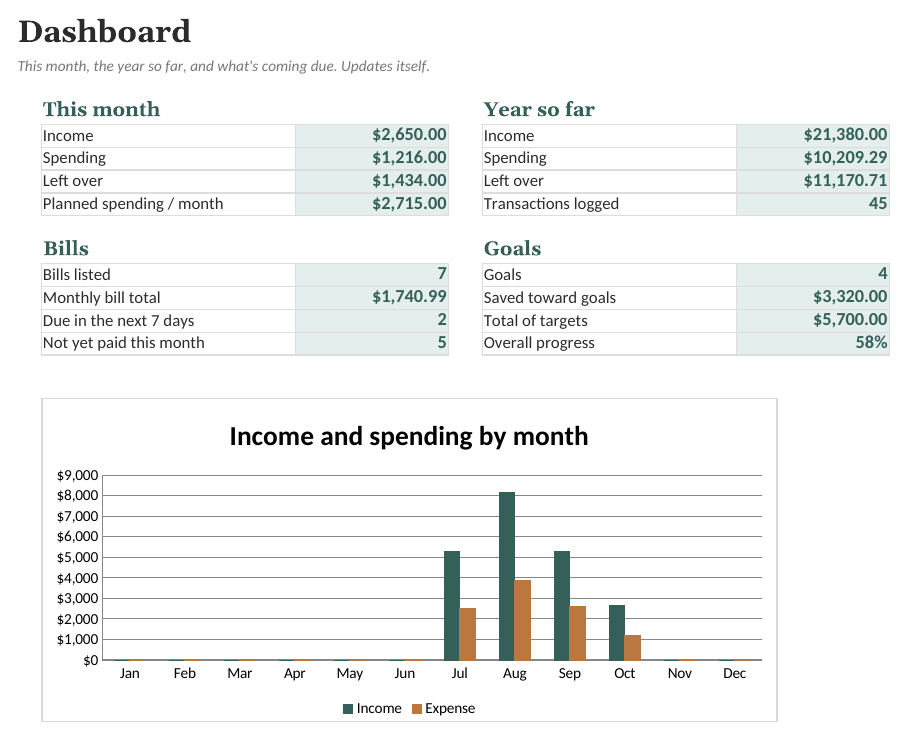
Spreadsheet kitYour categories, your plan: log spending and income, and see every month, bills coming due, and savings goals.
Step-by-step ways to open a spreadsheet template in the major apps, what usually carries over (formulas, dropdowns, charts), what can change, and habits that stop you breaking the formulas.
A spreadsheet template in .xlsx format is not tied to one app. The same file opens in desktop spreadsheet programs, in free browser-based apps and on most tablets. Here is how to open one in each of the common apps, and how to avoid the few problems people run into.
Download the file and keep the original somewhere safe (a "downloads" or "originals" folder). Work on a copy. If something goes wrong, you can always start again from the original instead of trying to repair a formula.
LibreOffice is free and opens .xlsx files directly: File > Open, then pick the file. When you save, it asks whether to keep the Excel format or switch to its own .ods format. Choose Use Excel 2007-365! to keep the file shareable with people using other apps.
Numbers can open .xlsx files (File > Open). It converts the file into a Numbers document, and some features may not convert exactly, for example some conditional formatting rules, chart types or data validation. If a template depends heavily on those, a free option such as LibreOffice or Excel for the web will usually give a closer match.
The mobile apps for Excel can open and edit templates, including dropdowns. They're fine for quick entries (ticking a habit, logging a purchase), but setting a template up is much easier on a larger screen.
| Problem | Likely cause | Fix |
|---|---|---|
| A total shows an error or stops updating | A formula cell was typed over or deleted | Copy that cell from your untouched original, or from the cell above it |
| Dates look like five-digit numbers | The cell lost its date format | Format the cell as a date |
| Numbers with commas aren't added up | Your app's region uses a different decimal separator | Check the spreadsheet's locale or region setting |
| Pasting breaks the colours or dropdowns | Pasting brings formatting with it | Use "paste values only" (Paste Special) |
| "Today" numbers look out of date | The file hasn't recalculated | Edit any cell, or reopen the file |
Your categories, your plan: log spending and income, and see every month, bills coming due, and savings goals.
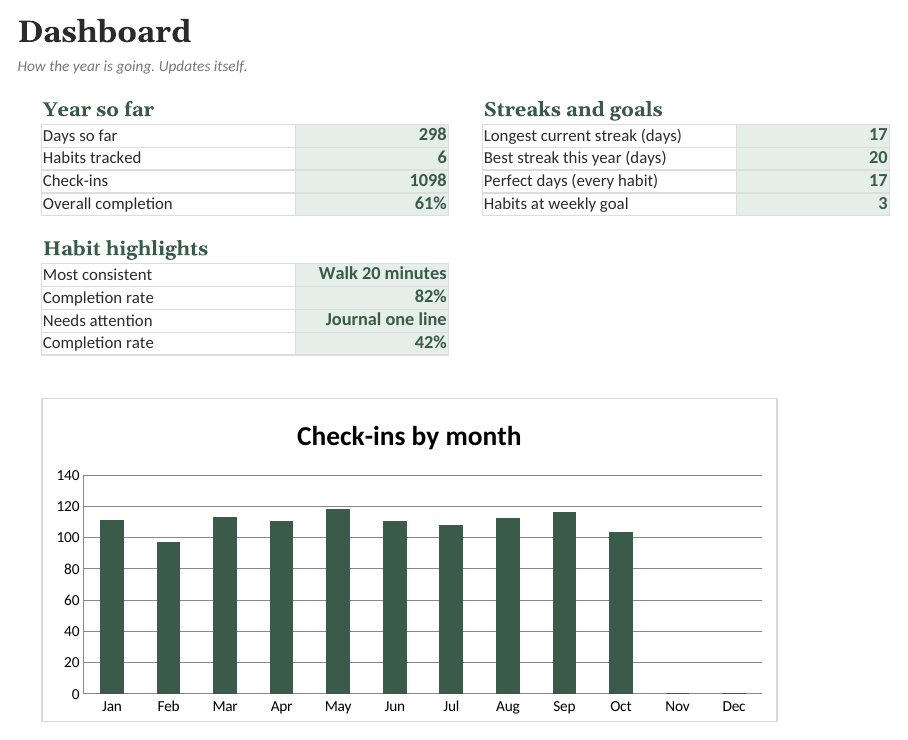
Tick off up to 12 habits every day of the year. Streaks, weekly goals and monthly completion work themselves out.
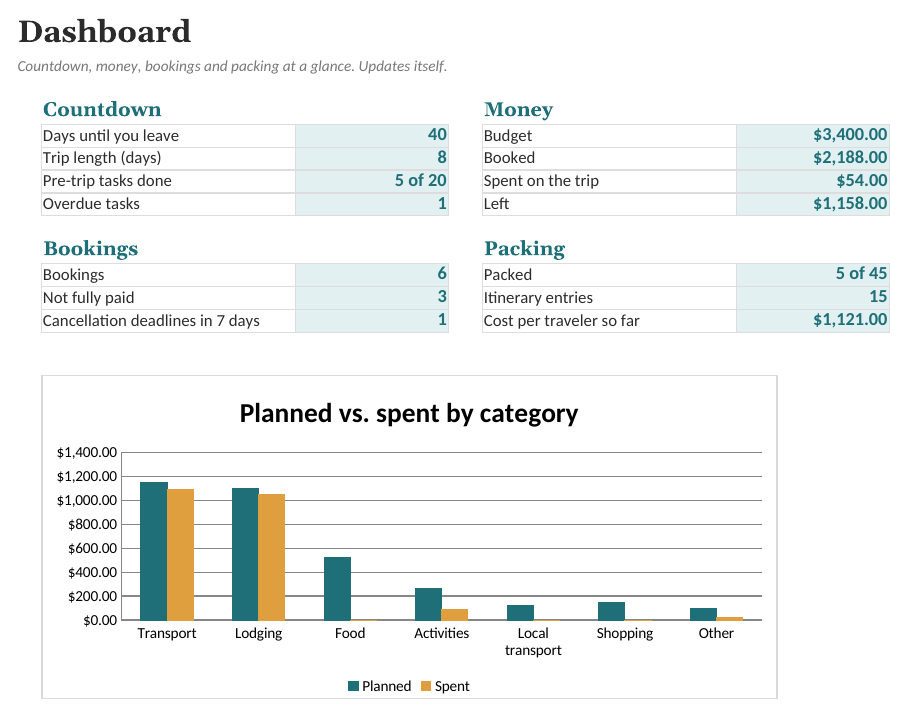
Day-by-day itinerary, bookings with cancellation deadlines, budget vs. spending, shared expenses, a packing list and a pre-trip checklist.
Sold by Quietcog. Support: gb1@mail.grokbot.com. General information only, not professional advice.